
OOM Kill
OomKill
The purpose of this scenario is to showcase resolution of an OOMKill without using Klaudia for guidance
Overview
When deploying applications to Kubernetes, it's common to encounter issues with memory allocation. These issues can arise from misconfigured resource requests and limits, leading to Out of Memory (OOM) errors. In this scenario, we use the Komodor platform to troubleshoot and resolve an OOMKill error.
Prerequisites
- None
Problem
- Navigate to the
Servicestab in the left menubar. - Select
komodor-oomkilled - Notice this service goes from Healthy to Unhealthy in the timeline
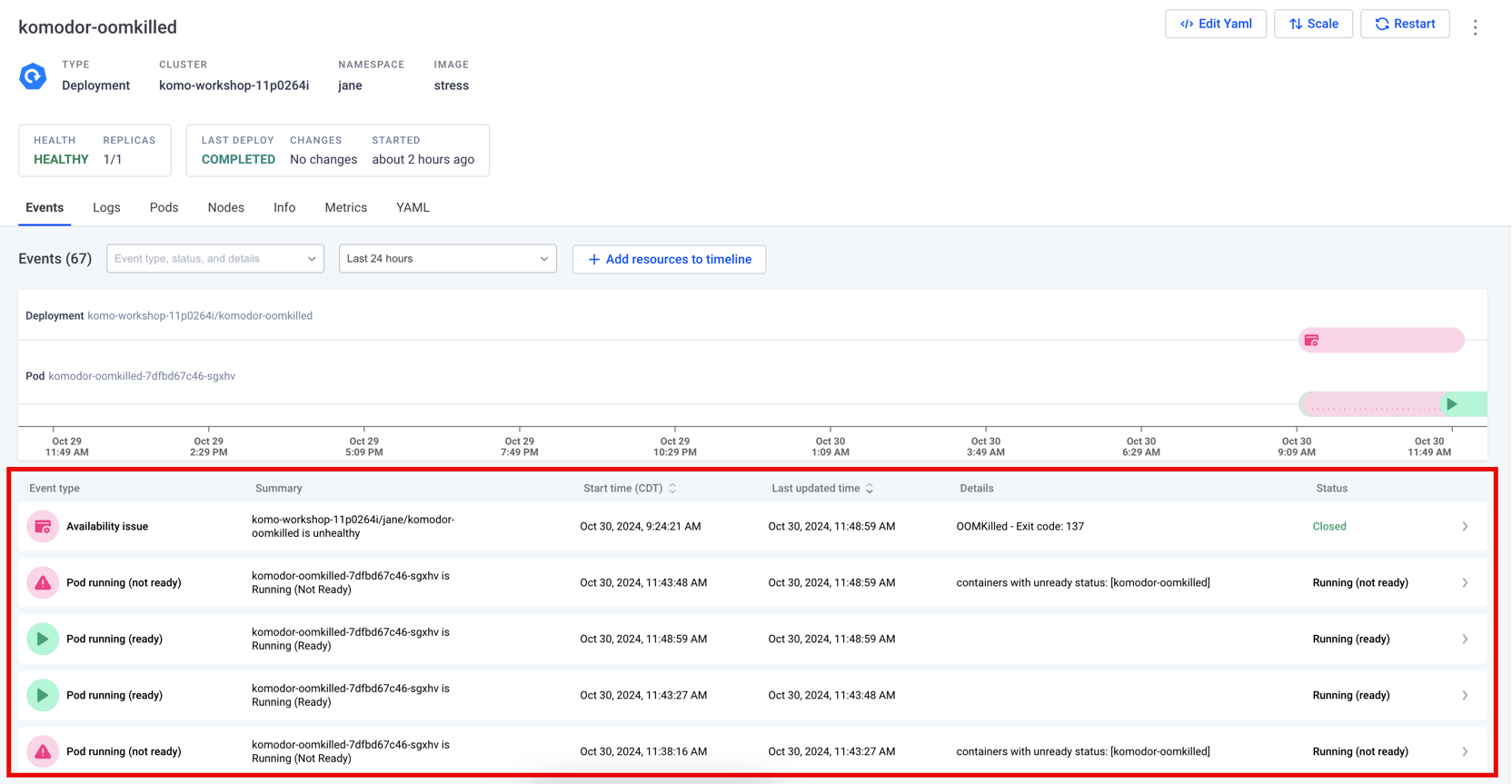
- Select
Logsfrom the tab menu - Observe the amount of memory allocated to the pod
- Notice the pod is trying to allocate 60M of memory
Resolution
- Select the horizontal ellipsis on the top right of the screen, next to
Restart - Select
Configure Resources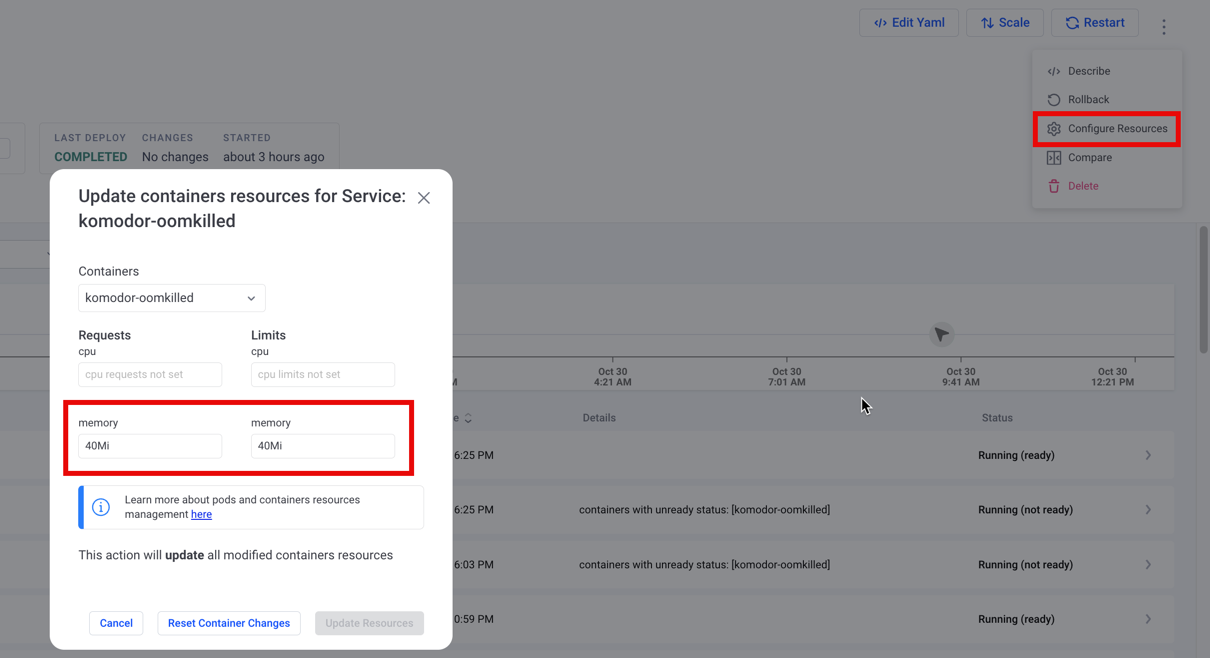
- Observe the gap between the configured amount (40) and the allocated amount from the logs (60)
- Adjust these values in the
memoryfields for therequestsandlimitscolumns to60Mi - Select
Update Resources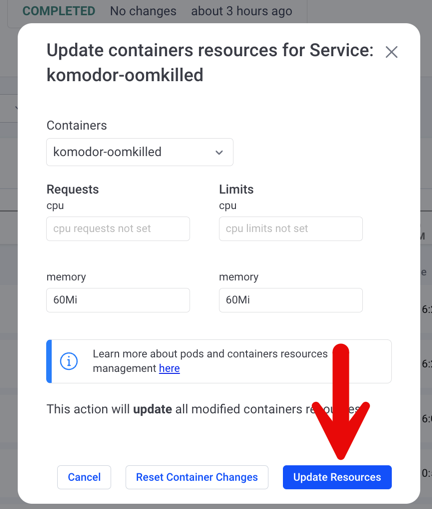
- The change triggers a new deployment
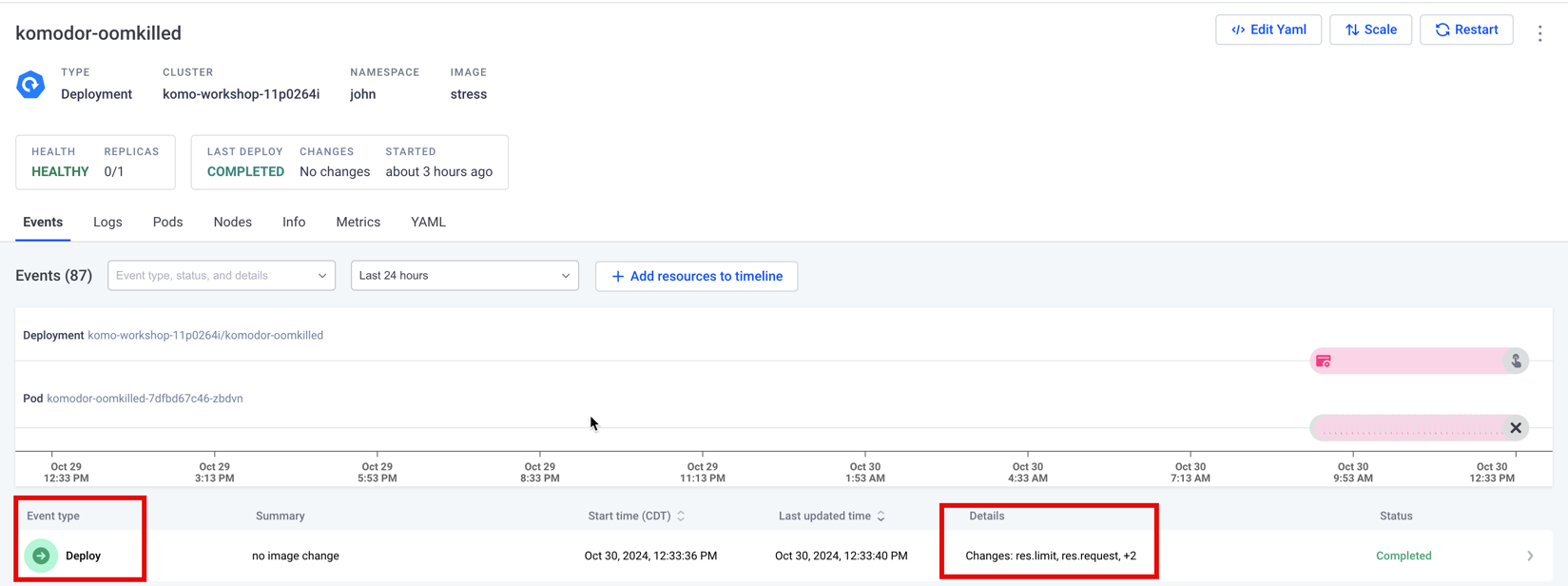
- After a moment, the service returns to a healthy state
