Image Pull Back Off
Komodor Image Pull Back Off
Overview
A common issue that can occur in Kubernetes is the ImagePullBackOff error. This error occurs when Kubernetes is
unable to pull the image for a pod. This can be due to a variety of reasons, such as the image not existing, the image
not being accessible, or the image registry requiring authentication.
In this scenario, we use the Komodor platform to troubleshoot and resolve an ImagePullBackOff error.
Prerequisites
- None
Problem
- Navigate to the Komodor dashboard. Click on services in the left menubar. Select the appropriate service in your
namespace
komodor-imagepullbackoff-unknown-nginx-version - Verify the previous deployment is in the
failedstate:
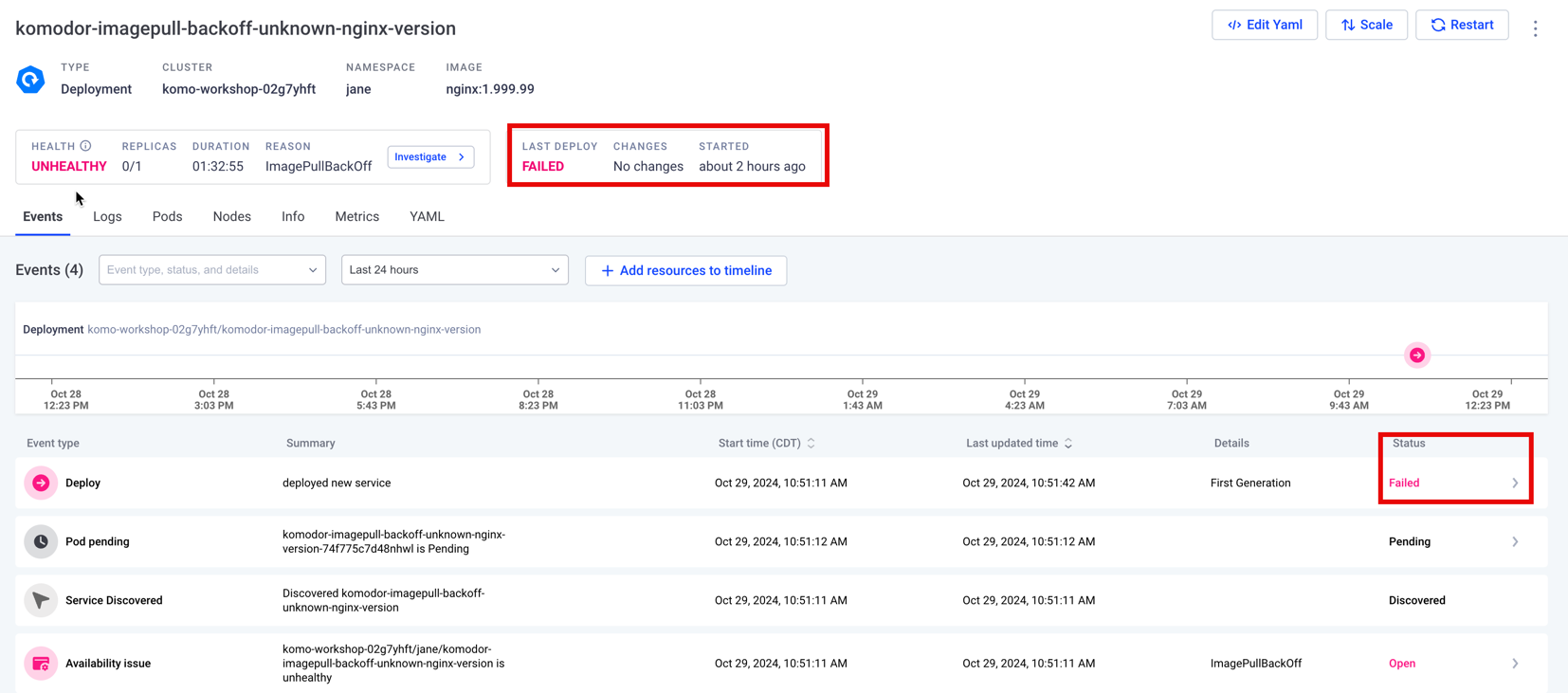
- Select the 'Deploy' event type, clicking on
Pods Healthto begin troubleshooting - Klaudia will begin the guided investigation, explaining the steps to resolve the issue
- Verify Klaudia's suggestion, comparing her suggestion to the output from
Pods Health
Resolution
- Close the Deployment drawer. Select
Edit YAMLon the Deployment's service page in Komodor - Edit
spec.containers[].imagetolatestand clickApply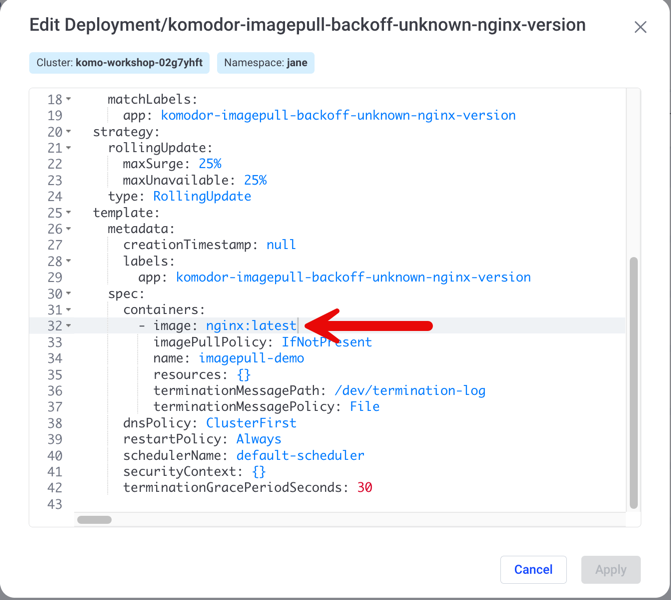
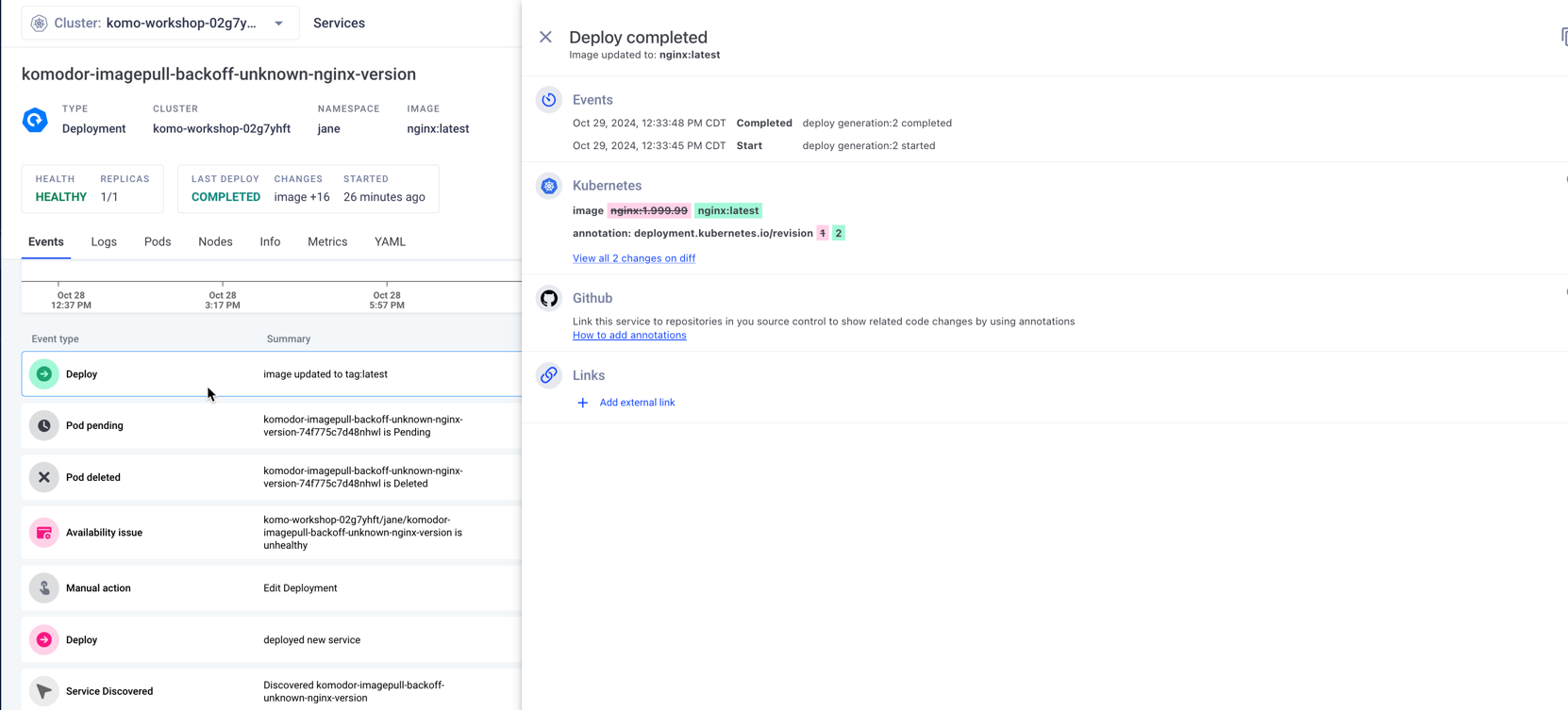
- Verify the deployment is now healthy by observing the latest event in the service's line items.
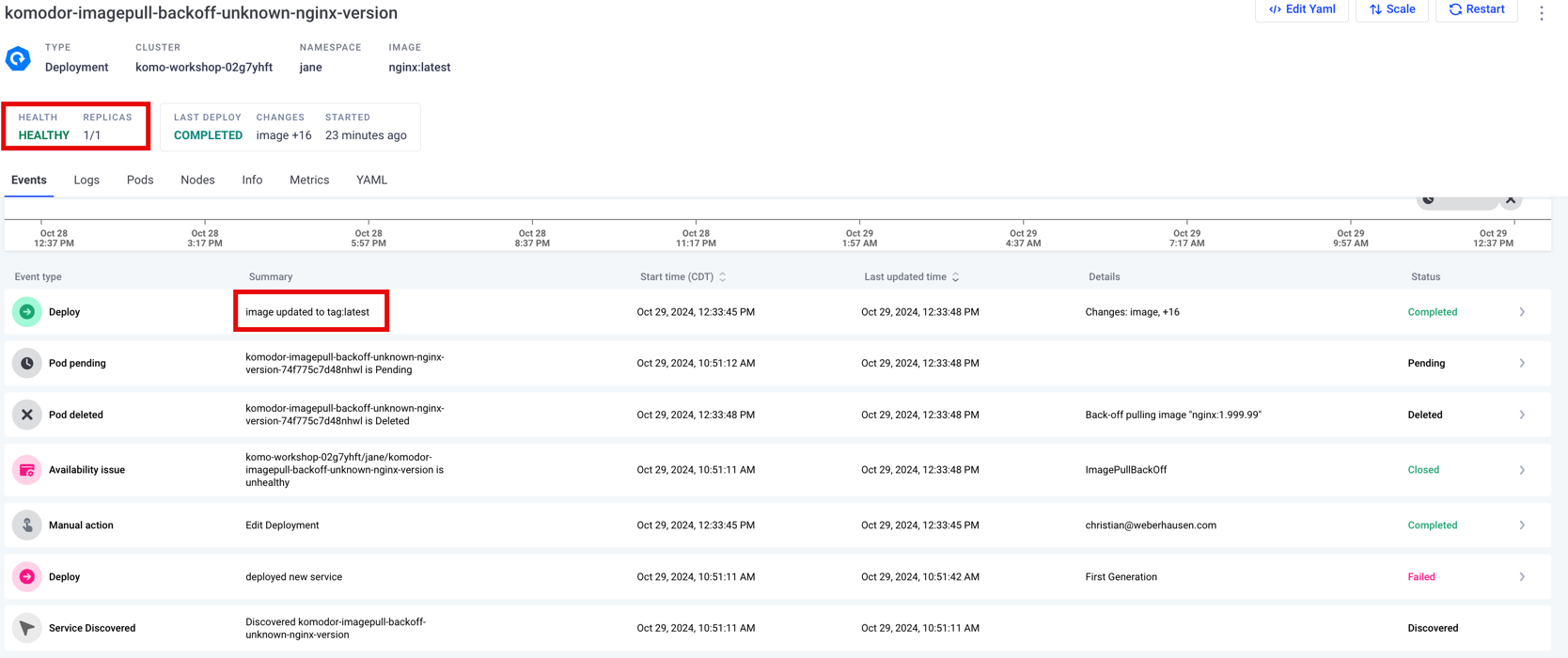
- Click on the deployment to see more details about the change