
Create Container Config Error
Overview
When deploying applications to Kubernetes, it's common to encounter issues with container configuration. These issues can arise from misconfigured environment variables, incorrect volume mounts, or other configuration errors. In this scenario, we use the Komodor platform to troubleshoot and resolve a container configuration error.
Prerequisites
Deploy this yaml to your cluster.
apiVersion: apps/v1
kind: Deployment
metadata:
  name: komodor-create-container-config-error
  labels:
    app: komodor-create-error
spec:
  replicas: 1
  selector:
    matchLabels:
      app: komodor-create-error
  template:
    metadata:
      labels:
        app: komodor-create-error
    spec:
      containers:
      - name: crash-demo
        image: nginx:1.21.6
        env:
        - name: SECRET_TOKEN
          valueFrom:
            configMapKeyRef:
              name: api-access-token
              key: SECRET_TOKEN
        - name: API_ENDPOINT
          valueFrom:
            configMapKeyRef:
              name: api-access-token
              key: API_ENDPOINT
---
apiVersion: v1
kind: ConfigMap
metadata:
  name: api-access-token
data:
  SECRET_TOKEN: dmFsdWUtMg0KDQo=
Problem
Navigate to the Komodor dashboard. Click on services in the left menubar. Select the appropriate service in your
namespace komodor-create-container-config-error
Verify the previous deployment is in the failed state:
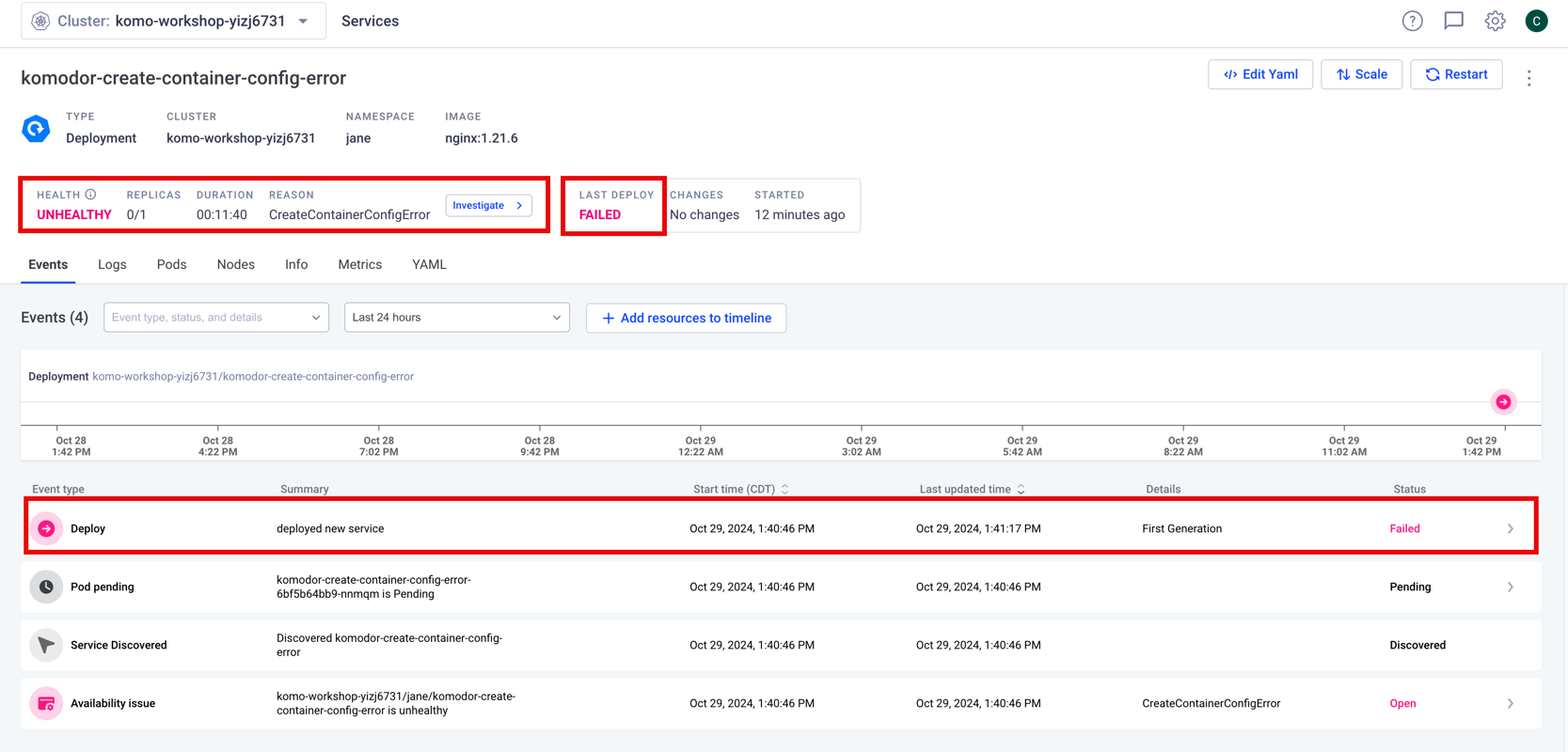
Select the Investigate button to open the Investigation overview drawer
Observe the overview of this issue, including Klaudia's suggested explanation of the problem\
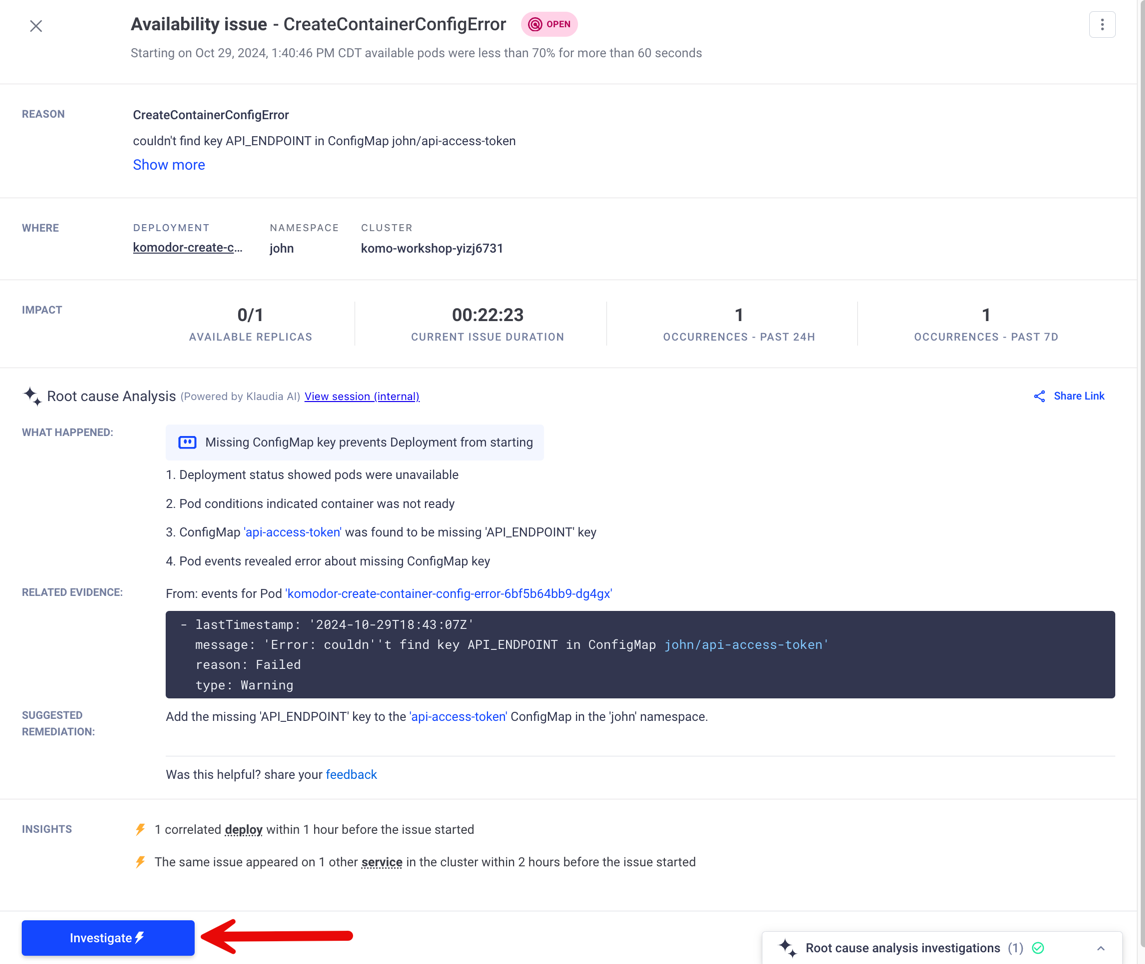
Select Investigate to begin the guided investigation to confirm Klaudia's suggested explanation.
The troubleshooting wizard Introduction provides an overview of the issue and the steps to potentially resolve the issue.
The built-in policy that triggered the service's state
Information about the specific error returned from Kubernetes
Klaudia's previously suggested Root Cause Analysis
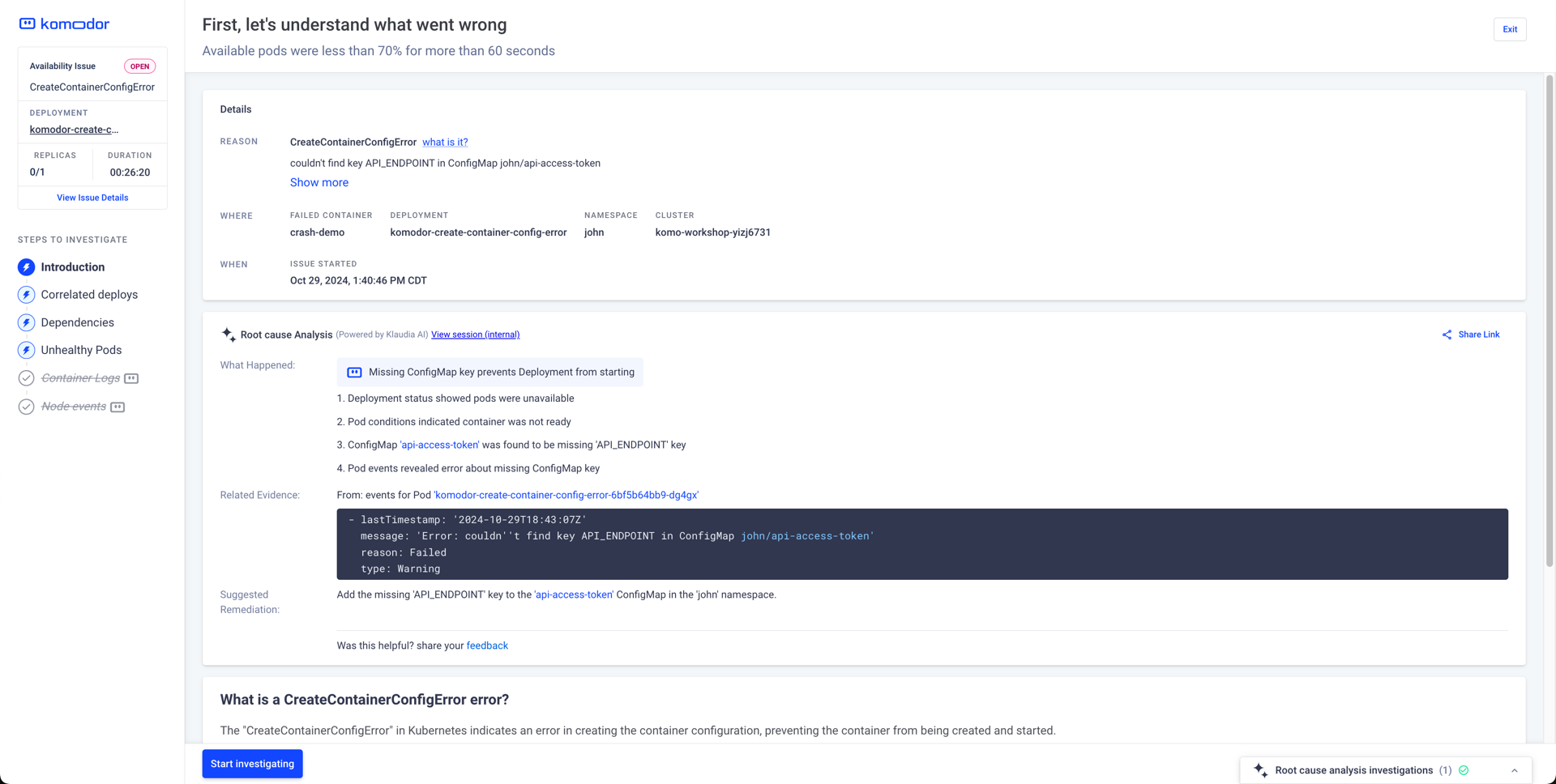
Select Start Investigating to continue through the wizard
Correlated Deploys provides the deployment's YAML for observation.
Line 23, the env[1].name.valueFrom.configMapKeyRef.key (API_ENDPOINT) does not exist in the ConfigMap.
Close the troubleshooting wizard.
Resolution
Further verify and resolve the issue by navigating Native Resource -> Configuration -> ConfigMaps in the left menu bar
Select the appropriate ConfigMap in your namespace api-access-token
Select Actions -> Edit to modify the ConfigMap YAML.
Add the fix to the ConfigMap: API_ENDPOINT: aHR0cHM6Ly9sb2NhbGhvc3QK
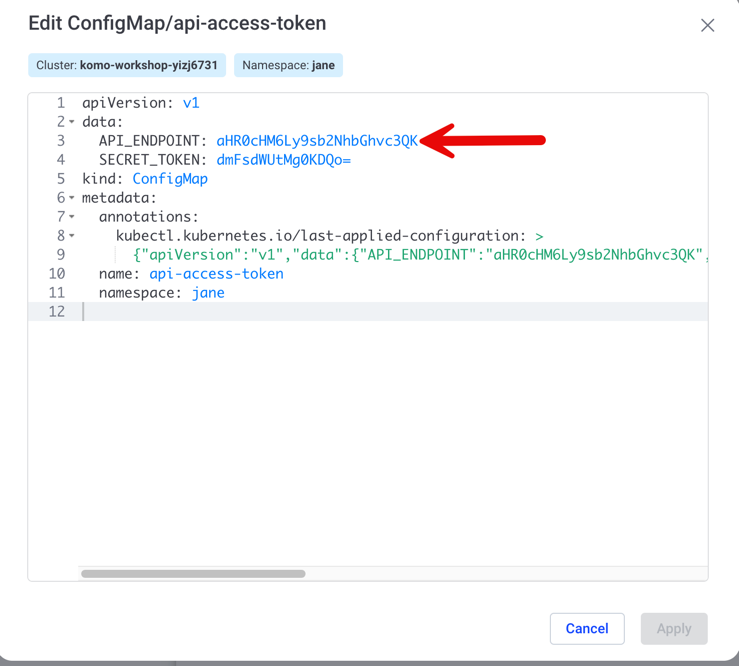
Select Apply
Navigate to the Service in Komodor
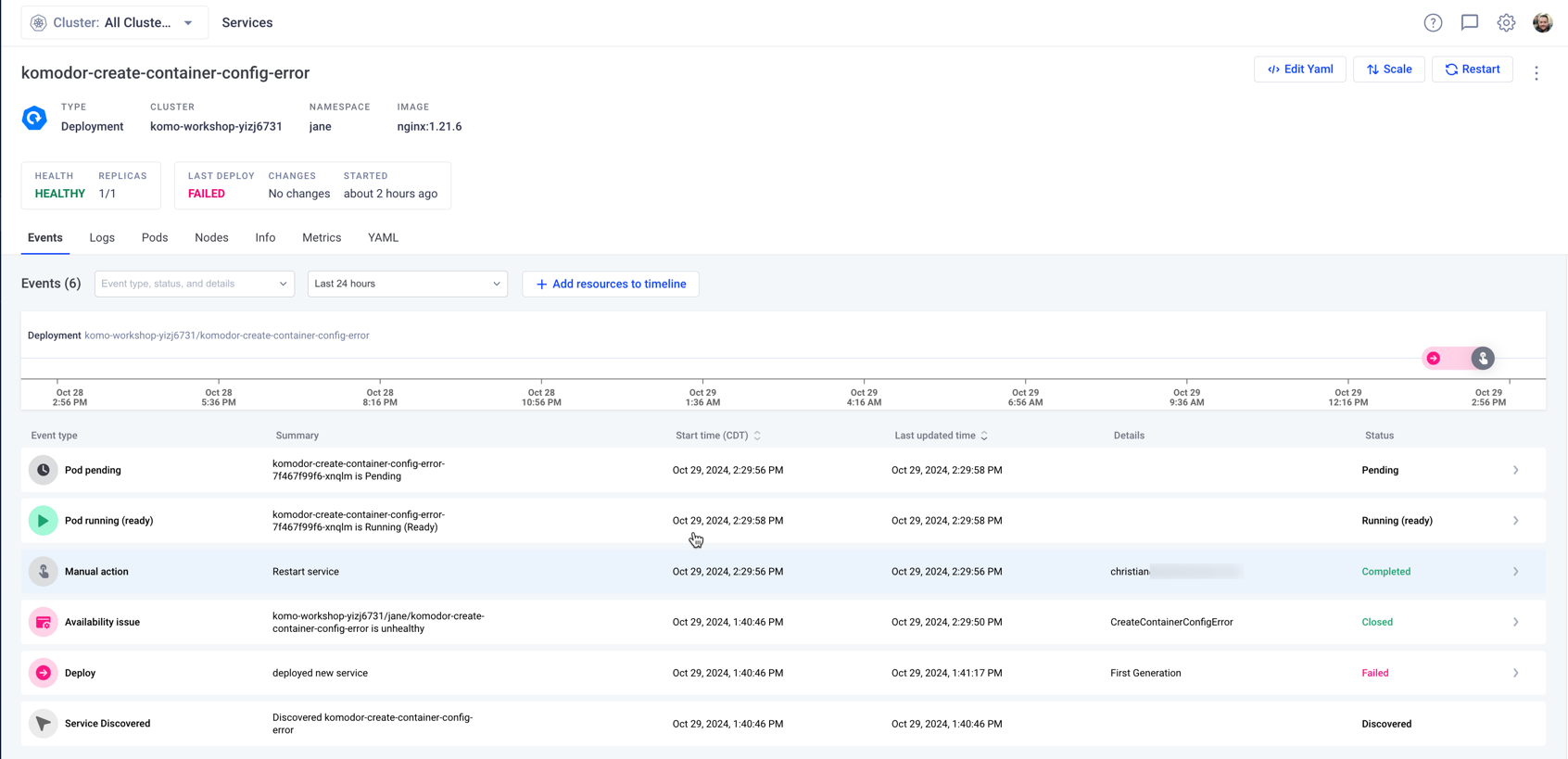
Restart the service to apply the ConfigMap change
Observe the service's health transition to Healthy
Conclusion
You have successfully used Komodor to troubleshoot and resolve a container configuration error. By following the troubleshooting wizard and modifying the ConfigMap, you were able to restore the service's health and ensure the application is running smoothly.